

Web Development Guide for Beginners: Planning, Building, and Launching
Explore the web development process, from planning to maintenance, in this beginner-friendly guide.
Read articleWeb Development
How web development works, step by step, so you can make informed decisions, avoid costly mistakes and guide your website project from planning to launch.
You learn how web development works, from defining goals and planning through design, coding, testing and launch. This guide helps you avoid common pitfalls and make informed decisions at each stage of your website project.
It involves discovery, planning, design, coding, testing, deployment and ongoing maintenance.
Defining objectives and requirements early prevents costly changes and delays.
Effective collaboration between these teams ensures a reliable and engaging website.
Testing for functionality, accessibility and security avoids issues after launch.
Understanding how web development works helps business owners turn a website idea into a functional digital platform. The process involves more than writing code, with important decisions about requirements, design, technology, testing and long-term maintenance influencing the final result.
Whether you are developing a new business website or replacing an outdated one, knowing what happens at each stage makes project planning easier. This guide explains the website development workflow, the responsibilities involved and the decisions needed to move from an initial idea to a successful launch.
The web development process transforms business requirements into a functioning website through a sequence of connected activities. These activities typically involve planning, design, technical implementation, testing and deployment, followed by maintenance after the website launches.
The main stages of website development include:
These stages provide a useful structure, although some activities can overlap depending on project requirements. For additional background on the technical fundamentals, the beginner's guide to web development explains the underlying concepts and common terminology.
Turning a website idea into a real project starts with identifying what the website needs to achieve before development begins. Clear requirements allow stakeholders to agree on essential functionality, expected outcomes and project boundaries rather than making decisions during implementation.
The discovery stage should establish the following information:
The result should be a practical requirements document that guides design and development decisions. A well-defined scope also makes it easier to compare proposals, evaluate changes and prevent misunderstandings between business stakeholders and technical teams.
Website planning determines how information will be organised and which technologies will support the required functionality. After defining the initial idea, the next decisions involve developing the sitemap, identifying content relationships and selecting an appropriate implementation approach.
Each planning activity should produce a deliverable that the project team can review before development progresses.
| Planning activity | Main purpose | Expected deliverable |
|---|---|---|
| Sitemap creation | Organise pages and navigation | Approved page structure |
| Information architecture | Group content logically | Content hierarchy |
| User journey planning | Identify important visitor actions | User flow diagrams |
| Content planning | Establish page information and ownership | Content requirements |
| Technology selection | Choose appropriate platforms and frameworks | Technical architecture |
| Integration planning | Identify connections with external systems | Integration requirements |
| Project scheduling | Coordinate activities and responsibilities | Delivery plan |
A website development workflow should reflect actual requirements rather than automatically selecting the newest framework or most complex architecture. Technology choices influence future maintenance, integration options, scalability and the level of technical support required after launch.
Website design translates approved requirements into a visual structure that visitors can understand and navigate. Wireframes establish page layouts, while interface designs define visual elements such as typography, colours, navigation and interactive components.
The design preparation process generally follows these steps:
Design and content preparation may happen alongside technical planning when responsibilities are clearly coordinated. Understanding the differences between web development and web design also helps stakeholders recognise why visual approval and technical feasibility both matter before implementation proceeds.
Once the sitemap and design are approved, developers can begin building the website using the agreed structure and design direction. Front-end development focuses on the elements visitors see and interact with, while back-end development handles application logic, servers, databases and related technical operations.
The responsibilities differ depending on the website's features and architecture.
| Development area | Primary responsibility | Practical example |
|---|---|---|
| Front-end interface | Implement page layouts and interactive components | Navigation menus and contact forms |
| Responsive development | Adapt interfaces to different devices | Mobile-friendly page layouts |
| Back-end functionality | Process information and application rules | Handling account registration |
| Database development | Store and retrieve application data | Managing customer records |
| API integrations | Connect the website with external systems | CRM or booking integration |
| Content management | Support authorised content editing | Updating services and articles |
| Technical configuration | Prepare application settings and environments | Development and staging setup |
Front-end and back-end components must exchange information reliably when a website uses dynamic functionality. Developers therefore need to coordinate interface requirements, available data, authentication rules and integration behaviour throughout the build.
Project management keeps development activities aligned with the approved scope, delivery priorities and stakeholder expectations. Coding is only one part of a website project; planning, content, design, testing and coordination also influence whether the result meets the original requirements.
Teams should establish clear practices for reviewing progress and handling changes during implementation.
Regular reviews create opportunities to correct misunderstandings while development is still progressing. They also provide a clearer basis for deciding whether requested changes should be included immediately or considered for a later release.
Website testing verifies that the implemented functionality meets project requirements and works reliably for its intended users. The testing process should include realistic scenarios rather than relying only on visual inspection or automated technical checks.
Before launch, the team should review these areas:
Testing results should be documented, with critical issues resolved before production deployment. This provides a clearer measure of launch readiness and reduces the likelihood of releasing functionality that does not meet essential business requirements.
Deployment moves the completed website from its development or staging environment into a production environment accessible to visitors. This stage requires careful configuration because a working test website may still depend on settings, services or permissions that differ from those used after launch.
A practical deployment sequence includes:
A launch checklist should identify the person responsible for each activity and the conditions required for approval. Confirming these responsibilities before deployment reduces uncertainty when technical issues arise during the launch process.
Website maintenance begins after launch and includes the activities needed to keep the platform secure, functional and relevant. Responsibility for these activities should be established during handover rather than left for the business to resolve when an issue occurs.
The maintenance plan should cover several operational areas:
Handover documentation should identify who controls the domain, hosting, source code, administrative accounts and supporting services. Clear access arrangements and maintenance responsibilities allow the business to manage routine operations while retaining appropriate technical support.
Common website project problems arise when requirements are unclear, decisions are delayed or development begins without adequate preparation. These issues can affect scope, delivery schedules and the quality of the finished website, particularly when responsibilities have not been agreed.
The following risks deserve attention throughout the development process:
Addressing these risks requires consistent communication and practical project controls rather than unnecessary documentation. Clear decisions, visible progress and defined responsibilities make it easier to manage the website project from discovery through handover.
Dev Centre House supports website projects through discovery, requirements analysis, UI/UX design, custom web development, technical architecture, integrations and software testing. The team can help organisations plan implementation, assess technical options and develop websites or web applications aligned with their functional requirements.
If you are planning a new website or improving an existing platform, book a consultation with Dev Centre House to discuss your project requirements and development options. The conversation can focus on technical feasibility, implementation priorities, integration needs and the support required to move the project forward.
Understanding how web development works makes it easier to plan a website project and evaluate the decisions involved in its delivery. Requirements gathering, structure planning, design approval, development, testing and deployment each contribute to a functioning website, while maintenance supports its continued operation.
Before starting a project, clarify the intended user experience, essential functionality, technical constraints and ownership responsibilities. These decisions provide a practical foundation for choosing an appropriate development approach and exploring software development services that support your website's planning, implementation and long-term maintenance.
Frequently Asked Questions
Short answers on the points readers most often want clarified after this piece.
The main steps include discovery, planning, design, content preparation, development, testing, deployment and ongoing maintenance.
Websites are developed by translating business requirements into approved designs, functional code, tested features and a deployed production website.
Front-end development implements user-facing interfaces, while back-end development manages server-side functionality, application logic and data processing.
Yes, design, content preparation and development activities can overlap when requirements, responsibilities and approval processes are clearly coordinated.
Businesses should verify essential functionality, mobile usability, accessibility, performance, security, domain configuration and maintenance responsibilities before launch.
Keep reading
Explore the web development process, from planning to maintenance, in this beginner-friendly guide.
Read article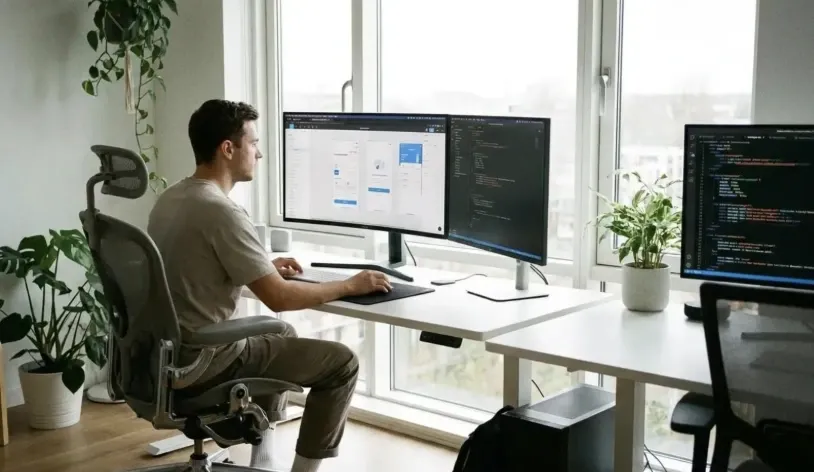
Web development vs web design is about understanding who shapes your website’s look and function, so you can choose the right expertise for your next project.
Read articleStart a conversation
Have a new product in mind, an existing system that needs improvement, or a complex business challenge to solve? Tell us what you're looking to achieve, and our team will help you find the right way forward.
We'll understand the problem before recommending a solution.
Get clarity on possible approaches, technologies, and next steps.
Work with experienced professionals across strategy, design, development, and technology.
A straightforward conversation about your project and requirements.
You don't need a complete specification to start a conversation.
Whether you have a detailed project brief or just an early-stage idea, we'll help you understand what's possible and what to do next.
No pressure. No unnecessary jargon. Just a conversation about what you want to build.
Tell us about the work
Your information is kept confidential and will only be used to respond to your enquiry. Privacy Policy
Prefer to Talk First?
That's okay. Start with a conversation.

Suite 5, Plaza 256, Blanchardstown Corporate Park 2, Dublin 15, D15 VE24, Ireland
+353 1 531 4791
Floor 3 East - 3E - 501 5th St - Dubai Int'l Airport, Dubai Airport Free Zone (DAFZA), Dubai, United Arab Emirates
+353 1 531 4791


