
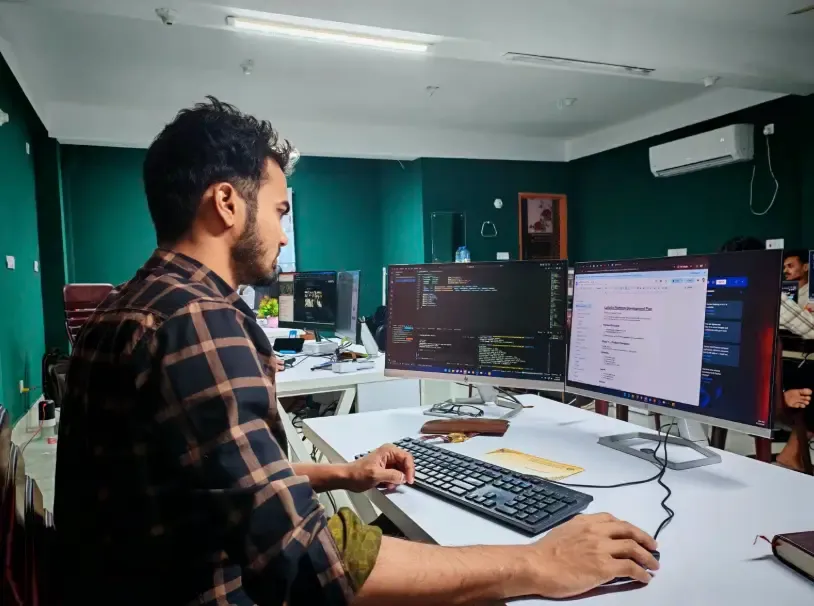
How Web Development Works: A Step-by-Step Guide
How web development works, step by step, so you can make informed decisions, avoid costly mistakes and guide your website project from planning to launch.
Read articleWeb Development
A web application lets users complete tasks in a browser. Learn what a web application is, its types, features, and how to choose the right one for your business.
This guide explains what a web application is, how it differs from a website, and the main types and features to consider. You will learn when to choose a custom web application, what the development process involves, and how to match your business needs to the right solution.
Unlike websites, web applications let users complete actions such as booking, messaging, or editing documents directly in the browser.
Static, dynamic, single-page, multi-page, and progressive web apps each suit different business goals and user experiences.
Building a web application includes planning, design, development, integration, testing, deployment, and ongoing maintenance.
Choose a custom web application when off-the-shelf software cannot meet your workflow, integration, or data control requirements.
A web application is software that people use through a web browser to complete tasks, manage information or interact with digital services. Unlike a traditional website that primarily presents content, it provides functionality such as sending messages, processing bookings, editing documents or managing customer records.
For business owners and technology decision-makers, understanding the differences between browser-based applications, conventional websites and installed software is essential when planning a digital solution. This guide explains how these tools work, their main types and features, practical examples, development considerations and when a custom solution may be appropriate.
A web application is an interactive software system accessed through a browser, usually over the internet, although some can also operate within private networks. It allows users to perform actions such as updating records, sending messages, managing bookings and retrieving information without installing a conventional desktop application.
The defining characteristics include:
These characteristics explain why browser-based email platforms are applications rather than ordinary collections of information pages. Their purpose is to let people perform meaningful activities, often using information stored and processed across connected systems.
The main difference between a website and an application is its primary purpose: websites generally communicate information, while applications support users performing tasks. However, many modern digital products combine both functions, so the distinction is not always absolute.
| Comparison | Traditional Website | Web Application |
|---|---|---|
| Primary purpose | Publish and present information | Enable users to complete tasks |
| User interaction | Reading, browsing, searching and submitting basic enquiries | Creating, editing, processing and managing information |
| Content | Often published and managed by administrators | May change according to user actions and stored records |
| User accounts | Optional | Common but not always required |
| Data processing | May be limited or handled by external services | Often involves application logic and data operations |
| Typical examples | Company information pages, editorial content and portfolios | Email systems, customer dashboards and booking platforms |
| Technical architecture | Can use static files or a content management system | Often combines browser interfaces with application services |
| Maintenance focus | Content, accessibility, functionality and presentation | Business rules, integrations, permissions and application behaviour |
A company website may include search, contact forms or account features without becoming a wholly separate application. Businesses should therefore define what users need to accomplish before deciding whether they need conventional website functionality or more extensive software capabilities.
A web-based application usually works through communication between a browser and connected services. The browser provides the interface, while server-side components may process requests, apply business rules and access databases or external systems.
Consider how a customer makes a reservation through an online booking platform:
This example demonstrates how browser interfaces, APIs, application logic and databases coordinate to complete a user task. For a technical explanation, the MDN client-server overview describes how browsers and servers exchange requests and responses.
Browser-based software can be classified by how it delivers content, manages interactions and supports different devices. Categories such as dynamic, single-page, multi-page and progressive applications can overlap, meaning one product may fit several descriptions.
| Type | Main Characteristics | Suitable Examples | Key Consideration |
|---|---|---|---|
| Static web application | Primarily presents fixed content with limited processing | Simple interactive tools and informational interfaces | Complex features may require additional services |
| Dynamic web application | Content or functionality responds to users and stored data | Customer portals and administrative dashboards | Requires appropriate data processing and access controls |
| Single-page application (SPA) | Updates the interface dynamically without loading a completely new page for every interaction | Interactive dashboards and productivity tools | Requires careful routing, performance and accessibility planning |
| Multi-page application (MPA) | Navigation commonly loads separate documents or pages | Large platforms combining content and transactions | Must maintain consistent navigation and application state |
| Progressive web app (PWA) | Uses web technologies to provide selected app-like capabilities | Field service tools and productivity applications | Offline and device features depend on implementation and browser support |
| Enterprise web application | Supports organisational processes, users and integrations | ERP interfaces, operations portals and workflow systems | Complex permissions and integrations increase delivery effort |
Browser access can reduce the need for separate software installations, making applications easier to use across supported devices and operating systems, although connectivity requirements and device support depend on the application. Choosing a suitable front-end technology approach should consider user tasks, browser compatibility, accessibility and integration requirements, including whether limited offline functionality is needed.
Familiar examples include email platforms, collaborative document editors, booking systems, online banking interfaces and customer self-service portals. Although these products serve different purposes, they share the ability to let users perform activities and work with information through a browser.
| Application Example | Typical Features | Main User Tasks |
|---|---|---|
| Web-based email | Accounts, inboxes, search, attachments and message storage | Send, receive and organise messages |
| Document collaboration | Shared access, editing, comments and version history | Create and collaborate on documents |
| Customer portal | Authentication, permissions, account records and support requests | Manage accounts and access services |
| Booking platform | Availability search, reservations, confirmation and notifications | Schedule or change appointments |
| Project management tool | Task assignments, workflows, deadlines and reporting | Coordinate work and track progress |
| Ecommerce administration | Inventory records, orders, customer information and reporting | Manage sales operations |
| Financial dashboard | Account information, transaction records and permissions | Review and manage financial activities |
| Employee self-service portal | Profiles, leave requests, documents and approval workflows | Complete internal administrative tasks |
The features selected should follow the work users need to perform rather than a generic checklist. For example, a booking platform needs dependable availability rules, while a customer portal may prioritise secure permissions, account information and integration with existing business systems.
Browser-based systems can simplify access, support connected workflows and reduce the need to distribute separate desktop installations. Their value still depends on compatibility, reliable connectivity where required, appropriate security and an implementation that matches operational needs.
| Area | Potential Benefit | Limitation or Responsibility |
|---|---|---|
| Device access | Users can work through compatible browsers on different devices | Some browsers and devices may not support every feature |
| Software installation | Conventional desktop installation may be unnecessary | Some workflows still require installed components or device permissions |
| Updates | Centralised services can simplify release management | Updates must be tested to avoid disrupting users |
| Collaboration | Shared records and connected workflows support coordinated work | Permissions and concurrent changes must be managed |
| Availability | Hosted systems can provide access beyond a single workplace | Network outages or service interruptions can affect access |
| Offline use | Selected features may work without a continuous connection | Offline functionality requires deliberate implementation |
| Security | Centralised processing can support consistent access controls | Authentication, authorisation and data protection remain essential |
| Performance | Applications can deliver responsive interactions through modern browser technologies | Network delays, inefficient queries and complex interfaces can affect speed |
| Integration | Systems can exchange information through APIs and connected services | External dependencies require monitoring and maintenance |
A browser-based platform can be easier to distribute across operating systems because users generally do not need separate installers for each supported environment. Nevertheless, the organisation must verify which devices, browsers and connectivity conditions the solution will actually support before treating access as universal.
Web application development begins by defining a problem, understanding the intended users and identifying the software functions needed to support their work. The delivery process then progresses through planning, interface design, technical implementation, integration, testing and ongoing support.
The main stages include:
Complexity increases when a product requires specialised workflows, numerous user roles, extensive integrations or migration from older systems. The step-by-step web development process provides additional context for planning the stages and dependencies involved.
A custom solution becomes relevant when essential business requirements cannot be met adequately through existing products or configurable platforms. Decision-makers should compare the required functionality, integration flexibility, implementation effort and ongoing responsibilities before committing to a build.
| Approach | Best Fit | Main Advantages | Important Trade-offs |
|---|---|---|---|
| Existing SaaS product | Standard business functions already supported by the market | Established capabilities and vendor-managed maintenance | Workflow limitations, subscription terms and vendor dependencies |
| Configurable platform | Requirements can be achieved through settings and approved extensions | Faster configuration and less bespoke development | Customisation boundaries and platform constraints |
| Custom web application | Distinct processes, integrations or user experiences are central to operations | Greater control over functionality and architecture | Higher implementation responsibility and ongoing support needs |
| Hybrid approach | Existing services cover part of the required workflow | Reuses available functionality while addressing specific gaps | Integration complexity and shared ownership responsibilities |
A custom build is not automatically the strongest option simply because it offers more flexibility. Businesses should first assess the capabilities of existing products, then determine whether unresolved workflow, integration or data requirements justify a tailored implementation.
Dev Centre House can support organisations with requirements discovery, solution planning, interface design and implementation of browser-based business systems. Its web design services can support the planning of usable interfaces, while development and integration activities can connect those interfaces to the functions and data needed for a working product.
If your organisation is deciding between an existing platform and a custom solution, you can book a consultation with Dev Centre House to discuss the intended users, essential features and integration requirements. This provides an opportunity to review technical feasibility, possible implementation approaches and the information needed for a clearer project scope.
A web application gives people a way to complete tasks, manage information and interact with software through a browser. Understanding the differences between websites and applications, their architectures, capabilities and operational limitations is essential when selecting a solution that supports business requirements.
The right approach depends on what users need to accomplish, which existing systems must connect and how the software will be maintained over time. If you are assessing a new platform or modernising an existing system, explore Dev Centre House's web development services and book a consultation to discuss the functionality, architecture and implementation options your organisation needs.
Frequently Asked Questions
Short answers on the points readers most often want clarified after this piece.
A web application is software accessed through a browser that lets users complete tasks, interact with services or manage information.
A traditional website primarily presents information, while a web app mainly enables interactive tasks and data processing.
Some applications support limited offline functionality, but the available features depend on how they are designed and implemented.
No, browser-based software is generally accessed through a web browser, while native mobile applications are installed for particular mobile operating systems.
Custom development is appropriate when essential workflows, integrations or functional requirements cannot be met adequately by existing products.
Keep reading
How web development works, step by step, so you can make informed decisions, avoid costly mistakes and guide your website project from planning to launch.
Read article
Web development vs web design is about understanding who shapes your website’s look and function, so you can choose the right expertise for your next project.
Read articleStart a conversation
Have a new product in mind, an existing system that needs improvement, or a complex business challenge to solve? Tell us what you're looking to achieve, and our team will help you find the right way forward.
We'll understand the problem before recommending a solution.
Get clarity on possible approaches, technologies, and next steps.
Work with experienced professionals across strategy, design, development, and technology.
A straightforward conversation about your project and requirements.
You don't need a complete specification to start a conversation.
Whether you have a detailed project brief or just an early-stage idea, we'll help you understand what's possible and what to do next.
No pressure. No unnecessary jargon. Just a conversation about what you want to build.
Tell us about the work
Your information is kept confidential and will only be used to respond to your enquiry. Privacy Policy
Prefer to Talk First?
That's okay. Start with a conversation.

Suite 5, Plaza 256, Blanchardstown Corporate Park 2, Dublin 15, D15 VE24, Ireland
+353 1 531 4791
Floor 3 East - 3E - 501 5th St - Dubai Int'l Airport, Dubai Airport Free Zone (DAFZA), Dubai, United Arab Emirates
+353 1 531 4791


